Most "best SEO extension" lists give you 20+ tools and leave the choice to you. You install eight of them, your toolbar fills up, and you still open three tabs to check one page.
This is a shortlist. I picked 9 extensions and checked each one against the same four questions:
- What does it check? On-page, technical, traffic, backlinks, keywords.
- What does it cost? Free, freemium, or it only works with a paid account.
- Is it still maintained? When the store listing was last updated.
- What data does it touch? The permissions and data disclosures on the store listing.
Full disclosure up front: the first extension on this list is ours. I'll tell you where it's strong, where it's still new, and why I had to rebuild it from scratch this year. The Semrush links in this post are affiliate links. The other seven picks have no commercial relationship with us.
Why I'm writing this (and why our old extension is frozen)
Our old Chrome extension had 1,000 users, 43 reviews and a 5.0-star rating. Today I can't even push an update to it.
Here's what happened.
I had a few Google Admin accounts for different projects. Managing them took a lot of time, especially juggling all the different emails. So I merged them into one, because email aliases make talking to customers much simpler.
The migration wasn't as smooth as I expected. After it, our developer account lost access to the extension. The email address didn't change. I only disconnected it from one Google Admin account and connected it to another.
I asked Chrome Web Store support to restore access. They asked for proof and screenshots showing we own the extension. I sent everything.
Their last reply came on August 4, 2026: "We are looking into your issue. We will reach out to you soon."
That was the last message. Since then I've followed up on August 6, 12, 20, 22 and 28, and again on September 1. No answer. Every new request gets closed automatically because one is already open.

So the old listing is stuck on a version from September 2025. Some sections are broken, and I can't fix them.
Rather than wait, we rebuilt the extension from scratch and published it on the new account. That rebuild is #1 below.
What this taught me as a buyer: before you install any extension, check when it was last updated. Good reviews tell you how an extension worked in the past. Recent updates tell you whether it still works today.
The shortlist at a glance
Numbers come from the Chrome Web Store unless noted. Checked September 28, 2026.
| Extension | Best for | Price | Chrome users | Rating | Last updated | Browsers |
|---|---|---|---|---|---|---|
| UNmiss SEO Audit & AI Tools | Full page audit + traffic, backlinks and AI writing in one panel | Free (account for history and AI tools) | New listing | New, no ratings yet | Sep 2026 | Chrome, Firefox, Safari |
| SEOquake | Page audits, SERP overlay, keyword density | Free; free Semrush account adds more | 1M+ | 4.5 (2.6K) | Sep 2026 | Chrome |
| SEMRush Rank + Semrush One | Semrush Rank in your toolbar + the most complete website audit | Extension free; Semrush One 7-day free trial | 30,000 | 2.6 (38) | Jul 4, 2025 | Chrome; Semrush One is a web app |
| Detailed SEO Extension | Fastest on-page check | Free | 600K | 4.9 (234) | Jun 2, 2026 | Chrome, Firefox |
| Wappalyzer | The tech stack behind any site | Free | 3M | 4.6 (2K) | Aug 26, 2026 | Chrome, Firefox, Edge |
| Keywords Everywhere | Search volume on any page | Credits from $84/year | 1M+ | 4.5 (5.7K) | Sep 17, 2026 | Chrome, Firefox, Edge |
| MozBar | Domain Authority on SERPs | Free with account; more with Moz Pro | 900K | 3.3 (2.5K) | Sep 20, 2026 | Chrome, Firefox |
| Redirect Path | Status codes and redirect chains | Free | 300K | 4.3 (200) | May 14, 2026 | Chrome |
| META SEO inspector | Meta tags, Open Graph, JSON-LD | Free | 200K | 4.4 (628) | Sep 22, 2026 | Chrome |
1. UNmiss SEO Audit & AI Tools
Best for: people who want one panel instead of five extensions.
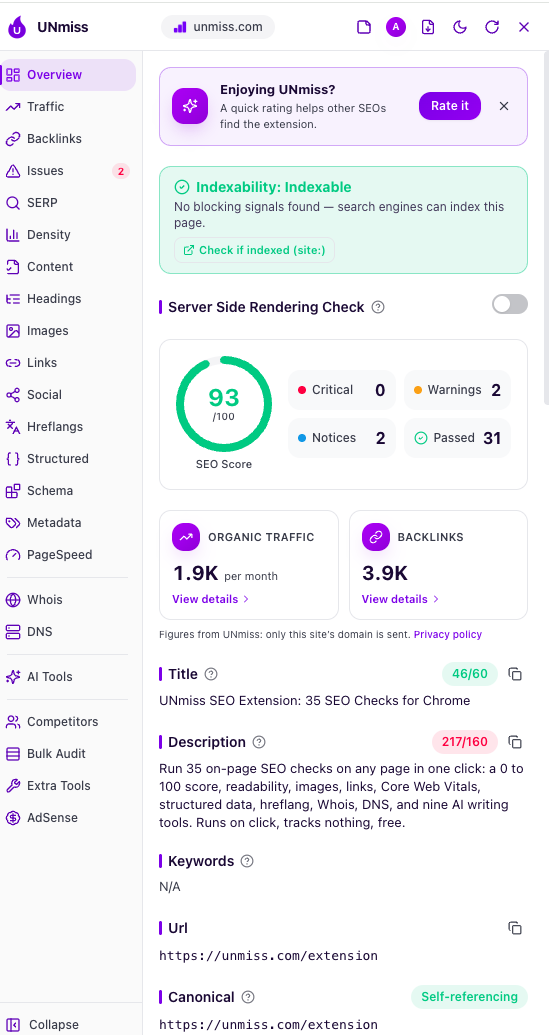
This is the rebuilt version of our extension. Click the icon on any page and you get a 0–100 SEO score from 35 on-page checks, plus the data I used to open other tools for:
- Overview: SEO score, critical issues, warnings and notices, indexability, and a server-side rendering check
- Traffic and backlinks: estimated organic traffic and backlinks for the domain
- On-page: title, description, canonical, headings, images, links, keyword density, readability
- Technical: Core Web Vitals and PageSpeed, structured data, schema, hreflang, metadata, social tags
- Domain: Whois and DNS
- Extra panels: SERP, competitors, bulk audit, AdSense
- AI tools: nine AI writing tools for rewriting titles, descriptions and content
Fair warning: once you install it, you'll probably drop 3–5 other SEO tools, because you get the value here faster.
Where it's still new:
- It's a fresh listing, so there are no public reviews yet. Our 43 five-star reviews are stuck on the frozen old listing.
- Saved history, reports and AI tools need a free UNmiss account.
- Traffic and backlink numbers are estimates, like every tool on this list. Use them to compare sites, not as exact counts.
Install: seotools.pro/extension · Chrome · Firefox · Safari
2. SEOquake
Best for: free page audits and metrics right inside Google results.
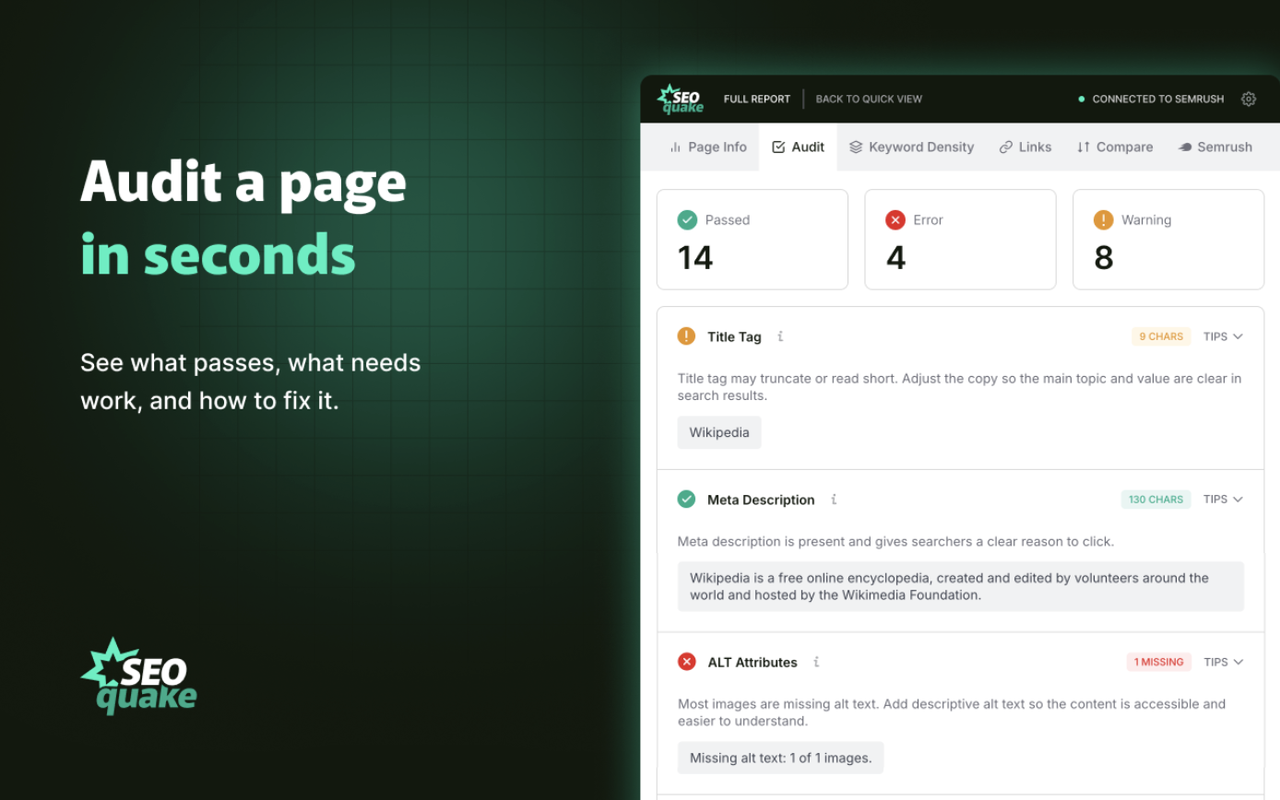
SEOquake is made by Semrush and has over a million users. It's been a staple for SEOs for years, and it's still actively updated.
What you get:
- On-page audit: title, meta description, headings, indexability
- Technical checks: robots directives, hreflang, structured data
- SERP overlay that shows metrics next to each Google result
- Internal and external link analysis, including broken links
- Keyword density from one-word to four-word phrases
- Side-by-side domain comparison
- PDF and CSV export
Some Semrush metrics work with no account. A free Semrush account adds Authority Score, traffic data and deeper backlink info.
Limitations: The SERP overlay can slow down search pages if you leave it on all the time. The Firefox version hasn't been updated since December 2022, so treat SEOquake as Chrome-only.
Install: SEOquake on Chrome Web Store
3. Semrush One + the SEMRush Rank extension
Best for: the most complete website audit, plus the keyword, traffic and backlink data behind every extension on this list.
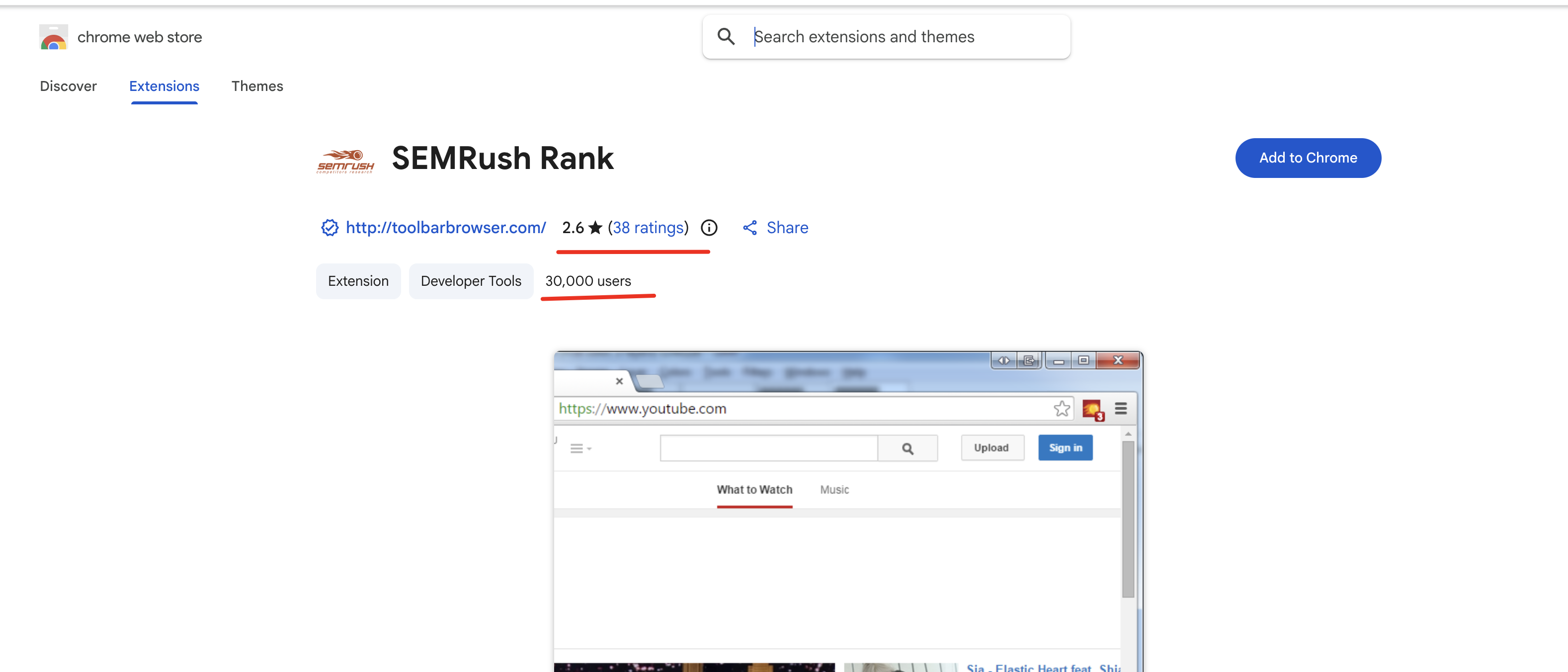
The extension: SEMRush Rank shows a page's Semrush Rank right in your toolbar, with no extra clicks. It has 30,000 users, a 2.6 rating from 38 ratings, and was last updated in July 2025. It's published by toolbarbrowser.com.
Install: SEMRush Rank on Chrome Web Store
The real value is Semrush One. An extension checks one page. Semrush One checks your whole website. In my experience, it's the most valuable website audit you can run, and you can try it free for 7 days:
- Site Audit: crawls your whole site and flags technical, on-page and performance issues, so you know what to fix first
- AI visibility: see how your brand shows up in AI search, not just Google
- Keyword research: volume, difficulty and intent
- Competitors: their traffic, top pages and keyword gaps
- Backlinks and position tracking
- Extra metrics inside SEOquake once you're signed in
Limitations: After the 7-day trial, Semrush One is a paid subscription. Cancel before the trial ends if it's not for you. If you only need page-level checks, #1, #2 or #4 are enough.
Subscribe to Semrush One free for 7 days → Run the full website audit and see everything the extensions miss.
Disclosure: This is an affiliate link; I may earn a commission if you subscribe, at no extra cost to you.
4. Detailed SEO Extension
Best for: the fastest on-page check.
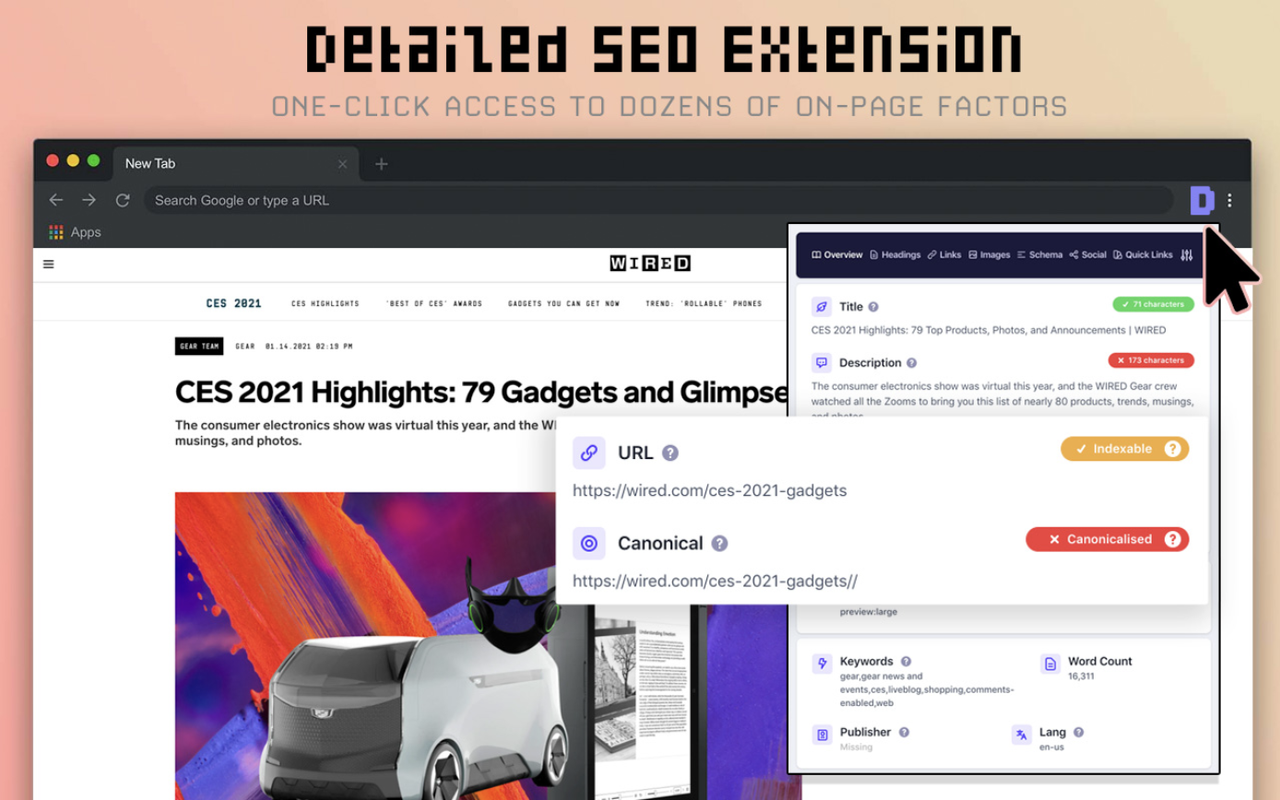
Now owned by Ahrefs, Detailed has the best rating on this list: 4.9 from 234 ratings, with 600,000 users. One click shows the title, meta description, robots tags, canonical and heading structure. It's free, needs no account and is clean.
Limitations: On-page data only. No traffic, backlinks or keyword metrics.
Install: Detailed SEO Extension on Chrome Web Store
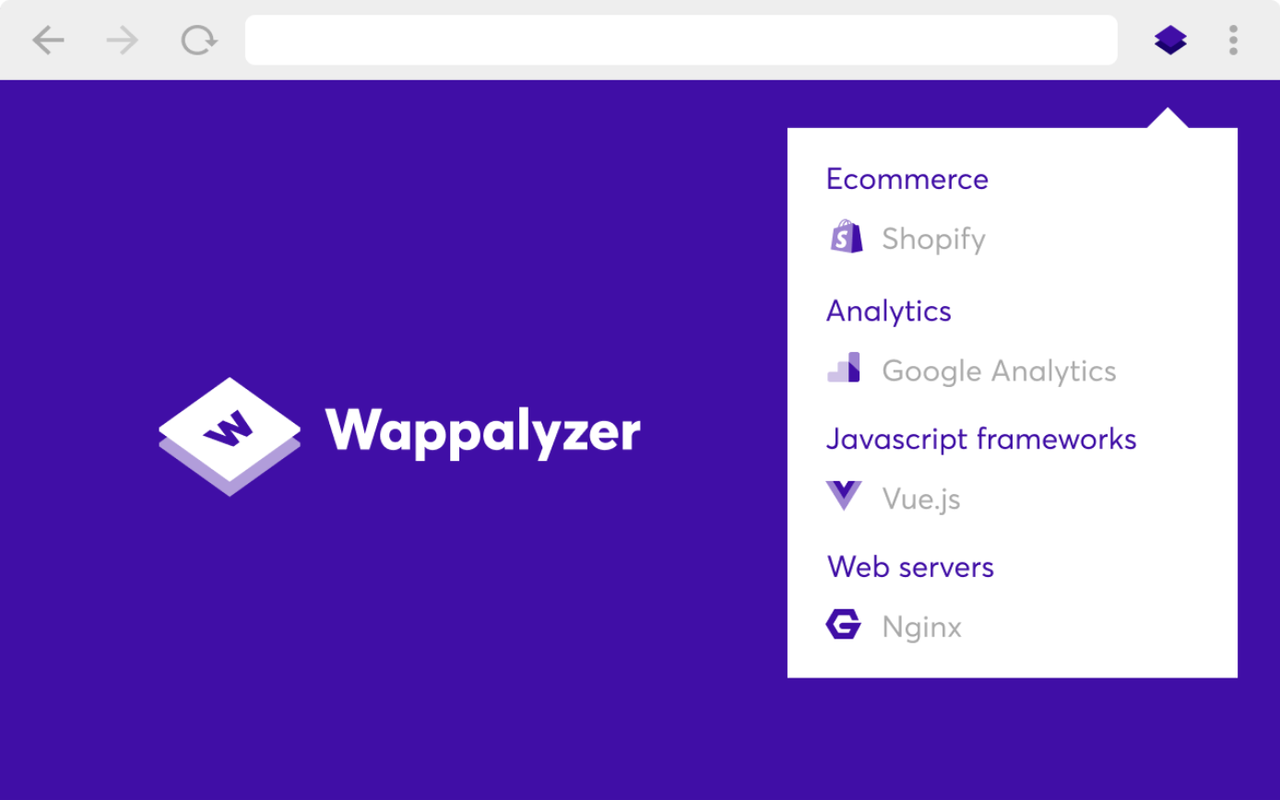
5. Wappalyzer
Best for: seeing the tech stack behind any site in one click.
It has 3 million users and a 4.6 rating from nearly 2,000 reviews. Click the icon on any page and it shows the technologies behind it:
- CMS and ecommerce platform: WordPress, Shopify, Webflow and more
- Frameworks, JavaScript libraries, hosting and CDN
- Analytics, tag managers, ad and payment tools
- 1,000+ technologies detected, with CSV export
For SEO audits, it answers the first questions fast: what is this site built on, and which SEO plugin does it use?
Limitations: It's a tech profiler, not an SEO metrics tool. No traffic, keywords or backlinks.
Install: Wappalyzer on Chrome Web Store
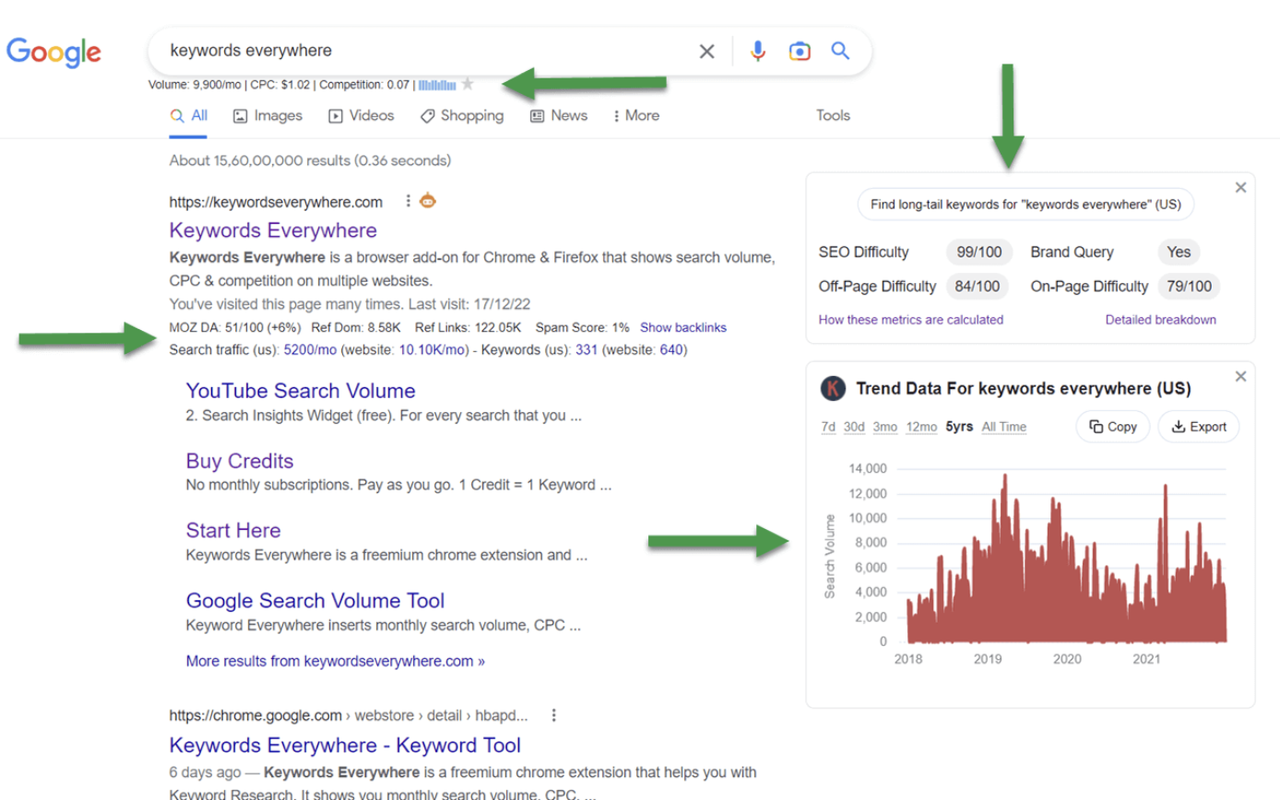
6. Keywords Everywhere
Best for: seeing search volume while you browse Google, YouTube, Amazon and 15+ other sites.
It has over 1 million users and a 4.5 rating from 5,700 reviews. It also adds traffic estimates, Search Console charts and competitor keyword gaps.
Limitations: Search volume and CPC are paid. Plans start at $84/year for 100,000 credits, 1 credit covers one keyword, and credits expire after a year. It's available on Chrome, Firefox and Edge, but not Safari.
Install: Keywords Everywhere on Chrome Web Store
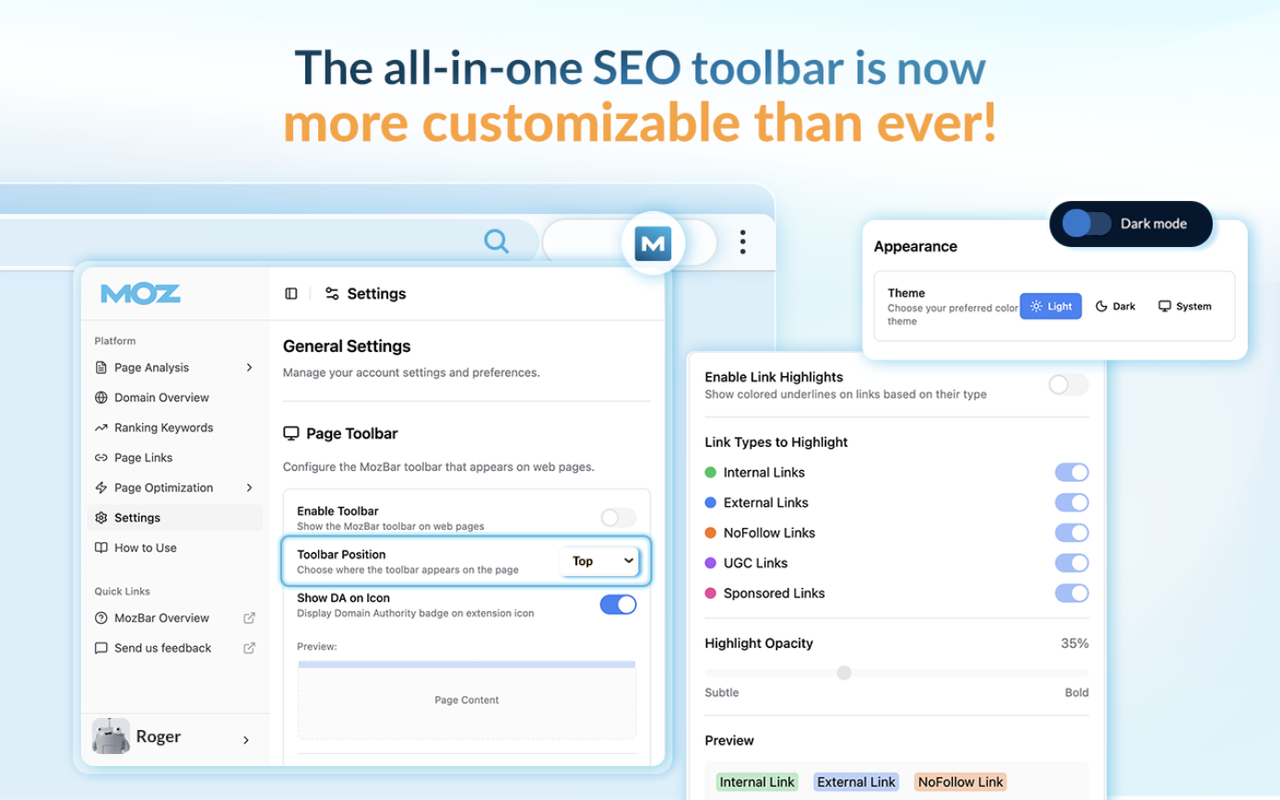
7. MozBar
Best for: checking Domain Authority and Page Authority on search results.
MozBar shows DA, PA and Brand Authority, highlights links, checks schema, hreflang and robots, and exports SERP data to CSV.
Limitations: It has the lowest rating on this list (3.3 from 2,500 ratings). Key metrics need a free Moz login, and deeper data needs Moz Pro.
Install: MozBar on Chrome Web Store
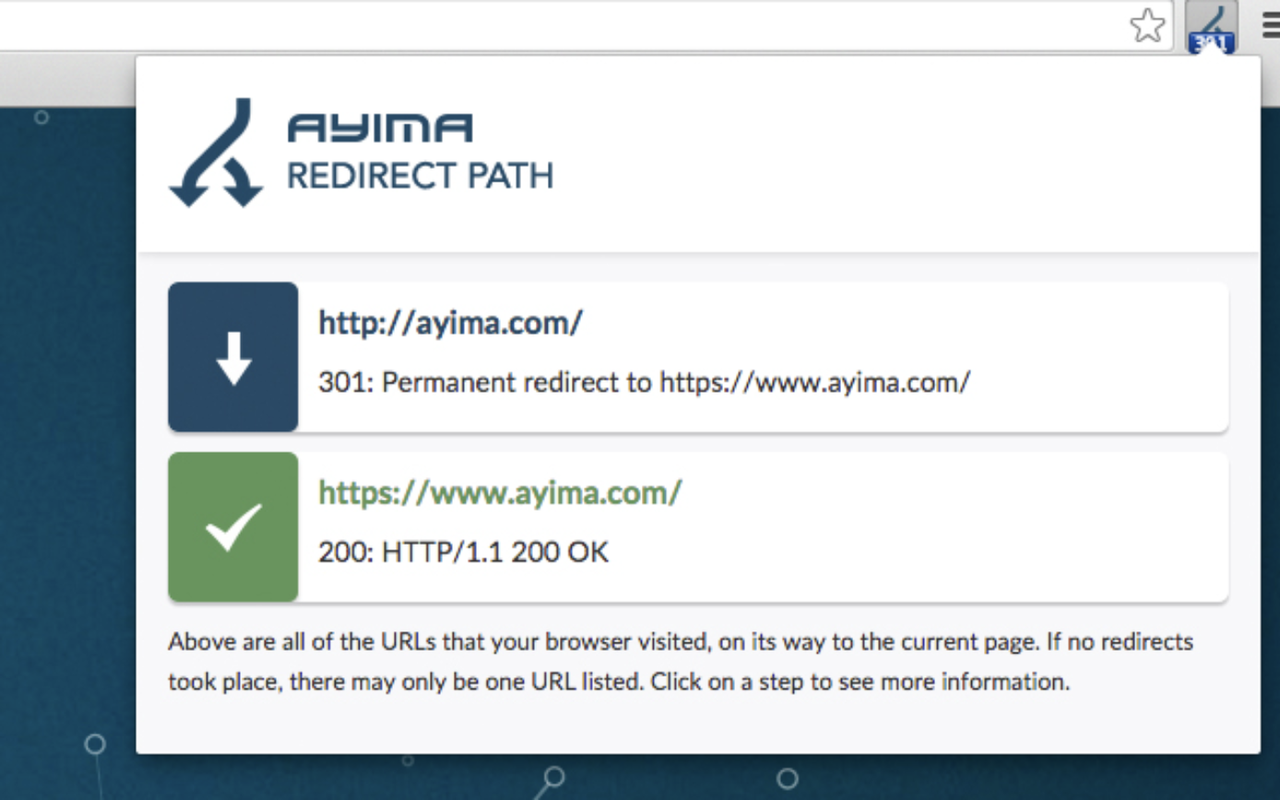
8. Redirect Path
Best for: catching redirect chains and wrong status codes.
Made by Ayima. It flags 301, 302, 404 and 500 responses plus JavaScript redirects as you browse, and shows HTTP headers and server IP. It runs locally and is free.
Limitations: It only covers redirects and headers, and it's less reliable on heavy single-page apps.
Install: Redirect Path on Chrome Web Store
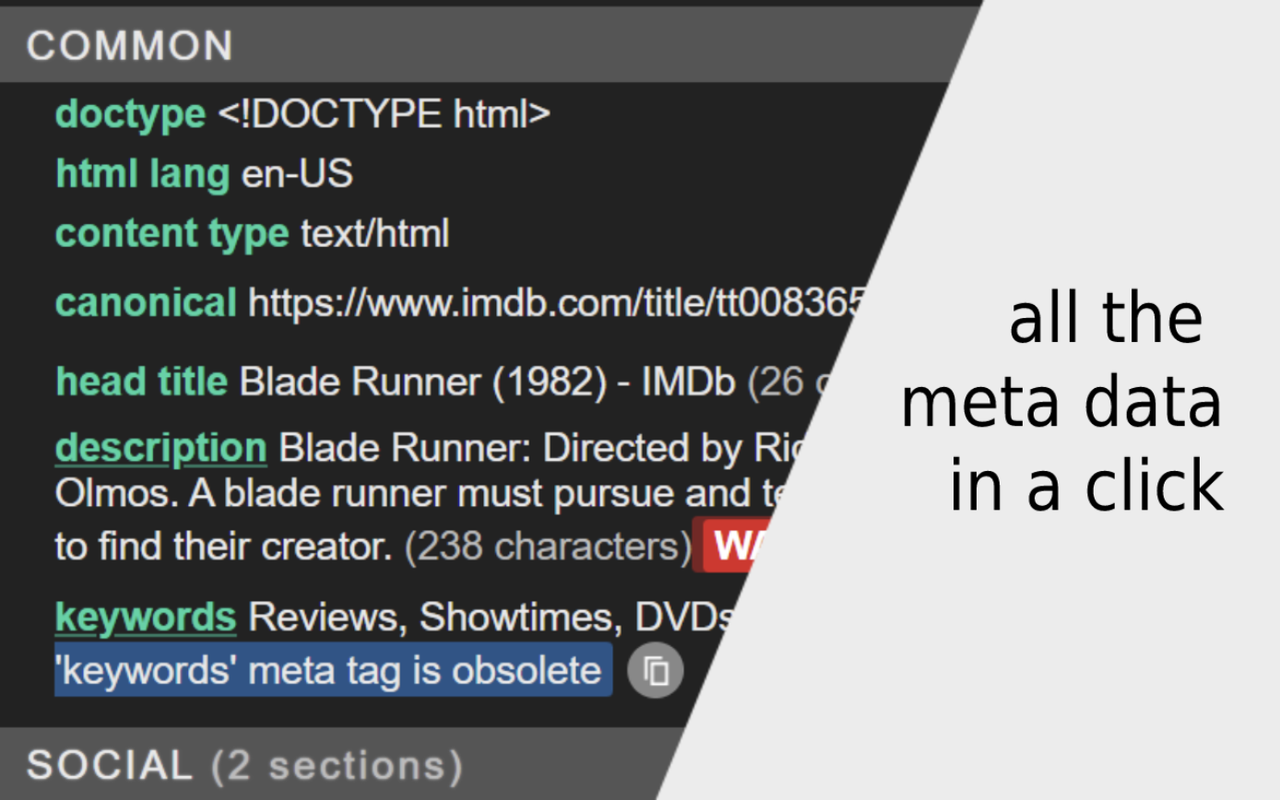
9. META SEO inspector
Best for: checking meta tags, Open Graph, Twitter cards and JSON-LD in a sidebar.
It's built by a solo developer, updated this month, free, and needs no account. Great for developers checking a page before launch.
Limitations: On-page data only. No traffic or keyword data.
Install: META SEO inspector on Chrome Web Store
Which one should you pick?
You don't need all nine. Pick by the job.
| If you... | Install | Why |
|---|---|---|
| Want one tool for most checks | UNmiss | Audit, traffic, backlinks, technical checks and AI writing in one panel |
| Live in Google results | SEOquake | Free SERP overlay and page audits |
| Want a full website audit and research | Semrush One | Checks your whole site, not one page (7-day free trial) |
| Just want a quick on-page check | Detailed SEO | One click, free, top-rated |
| See any site's tech stack | Wappalyzer | CMS, frameworks and tools in one click |
| Write content and need volumes | Keywords Everywhere | Volume on every page you visit |
| Do technical SEO or migrations | Redirect Path | Spots redirect chains instantly |
My setup: UNmiss for the full picture, SEOquake for search result overlays, Redirect Path running in the background, and Semrush One for full-site audits and research. That's four tools instead of ten.
How to check an extension before you install it
This takes two minutes and saves a lot of trouble later.
- Check "Updated" on the store listing. No update in 12+ months is a warning sign, even with great reviews. Ours is the proof.
- Read the permissions and data disclosures. "Read and change all your data on all websites" is normal for SEO extensions, because they need to read the page. Still, install only from makers you trust.
- Check who the developer is. The publisher name is on every store listing. Know who you're giving page access to.
- Know what's paid. Many "free" extensions show the good numbers only after you log in or pay.
- Disable what you don't use. Every active extension adds weight to every page you load.
Try it
If this list saves you a few extensions, start with ours: seotools.pro/extension. It's free, and it runs when you click it.
Want the whole site checked, not just one page? Subscribe to Semrush One free for 7 days and run a full website audit.
And if you've ever lost access to a Chrome Web Store listing and got it back, I'd love to hear how. We're still waiting.
FAQ
What is the best free SEO extension?
For an all-in-one audit, UNmiss. For search result overlays, SEOquake. For a lightweight on-page check, Detailed SEO Extension. All three are free.
Do SEO extensions slow down my browser?
Some do, especially ones that add overlays to every search results page. Turn overlays off when you don't need them, and remove extensions you haven't used in a month.
Are SEO extensions safe?
Most need to read the pages you visit, because that's how they analyze them. Install from known developers, check the "last updated" date, and read the data disclosures on the listing.
Can a browser extension replace a full SEO tool?
For page-level checks, yes. For full-site audits, keyword research, rank tracking and backlink analysis, you still need a platform like Semrush One.
Do these work on Firefox, Safari or Edge?
See the table above. Chrome has the widest choice. UNmiss is available for Chrome, Firefox and Safari; several other tools also support Firefox or Edge.
Disclosure: UNmiss is our product. The Semrush links are affiliate links; I may earn a commission if you subscribe, at no extra cost to you. We have no commercial relationship with Ahrefs (maker of Detailed), Wappalyzer, Moz, Axeman Technology, Ayima or Andrea Doimo. Store data (users, ratings, update dates) and pricing were checked on September 28, 2026 and can change.
Also published on LinkedIn.